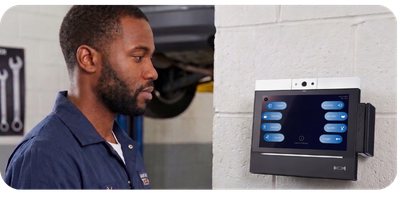
A decision guide for Workforce Management Software companies adding physical time clocks to their product.
If you sell workforce management software, sooner or later a customer asks the question that changes your roadmap: "Can we get wall-mounted time clocks with this?"
Deskless workforces — warehouses, plants, hospitals, retail floors — punch at a terminal, not a laptop. To serve them, your software needs a physical clock. And the moment you decide to offer one, you face a classic build-vs-buy decision — except it comes in two layers, and most teams only see the first one.
The first decision is easy: don't build the hardware
Almost nobody should design and manufacture their own time clock. Injection molding, component sourcing, certifications, RMA logistics, spare-parts inventory — that's a hardware company's job, and it would consume years before your first customer punched in. Partnering with an established time clock manufacturer for the physical device is the settled answer.
The real decision is the second layer: the application that runs on the clock. The screen an employee taps to punch in, start a meal break, or transfer between jobs. Do you build that application yourself on an SDK, or do you deploy a pre-built one and integrate it with your back end?
That's the choice this post is about.
What "build" actually means: the time clock SDK path
Building means your team develops the on-device application — typically on an Android-based terminal — using the clock manufacturer's SDK and developer tools. You also build the communications middleware: the layer that carries punch data from the clock to your host system.
What you take on:
- UI/UX design for a shared, wall-mounted device — a very different design problem from a personal phone app. Think glare, gloves, 6-second interactions, and users who never got onboarding.
- Every punch workflow: in, out, meal start/end, break start/end, job transfers, manager overrides.
- Login and identification handling — badge readers, PIN entry, biometrics — including edge cases like misreads and enrollment.
- Offline behavior, store-and-forward, retry logic, and data integrity when the network drops.
- Ongoing maintenance: OS updates, security patches, and a mechanism to distribute your own updates to clocks in the field.
What you get in return:
- Total control of the on-device experience, pixel by pixel.
- The freedom to build workflows no off-the-shelf application supports — proprietary interactions, unusual data capture, deep coupling with your platform's logic.
- No dependency on anyone else's application roadmap.
The honest cost: teams that have shipped clock applications typically describe the effort in months to years, not sprints — and the first production year surfaces edge cases no spec anticipated. If your engineering organization is already stretched, this is a second product line, not a feature.
What "buy" actually means: the pre-built application path
Buying means the clock ships with a complete, field-proven time and data collection application already on it. Your work is the integration: connecting the application's output — punch data — to your back-end system.
What you take on:
- One integration project: mapping punch data into your platform.
- Configuration decisions: which login options, which punch types, which restrictions your customers need.
What you get:
- Time to market measured in weeks, not quarters. The application is already built, tested, and hardened by other deployments.
- Punch workflows, flexible login options (swipe, barcode, proximity, PIN, badge ID, biometric), and manager functions working on day one.
- A supported update path — feature enhancements and fixes distributed to your customers' clocks without you building a distribution mechanism.
- Engineering capacity that stays on your core product, where it differentiates you.
The honest cost: you configure rather than invent. If your value proposition depends on a punch experience nobody else can offer, a pre-built application may constrain you. For most WFM companies, though, the punch screen is table stakes — the differentiation lives in scheduling, analytics, and payroll logic, not in how the "Punch In" button looks.
Build vs. buy at a glance
| Question |
Build (SDK) |
Buy (pre-built app) |
| Time to market |
Months to years |
Weeks |
| Engineering investment |
On-device app + middleware + maintenance |
One back-end integration |
| Control of on-device UX |
Total |
Configurable |
| Punch workflows |
You develop each one |
Included day one |
| Login options (badge, PIN, biometric) |
You implement |
Included, configurable |
| Software updates to the field |
You build the mechanism |
Handled through the application |
| Your brand on the device |
Yes |
Yes |
| Ongoing app maintenance |
Yours |
The manufacturer's |
| Best fit |
Proprietary on-device experience is core to your product |
Speed to market and focus on your core platform |
Note what's not in the table: brand, customer relationship, and pricing. In a good hardware partnership you keep all three on either path.
How to decide: four questions
- Is the on-device experience a differentiator or a checkbox? If customers choose you for scheduling and analytics, the punch screen is a checkbox — buy. If your pitch is a novel on-device experience, build.
- Do you have Android developers to spare for 6–18 months, plus maintenance forever? "Forever" is the word teams underestimate. A clock app isn't a project; it's a product.
- How soon does revenue depend on this? If a deal is waiting on time clocks, the pre-built path can close it this quarter. The SDK path can't.
- Could you start pre-built and go custom later? Often yes — ship the pre-built application to win the market now, and revisit a custom build only if customer demand proves the need. The reverse order costs you the market while you build.
Both paths exist for a reason
At Accu-Time Systems we offer both, because different WFM companies genuinely need different things:
- Hardware Only — the build path. You get the clock, the SDK, and developer tools; you develop your own application and middleware. Everything above the terminal is 100% yours.
- Hardware & Software — the buy path. The clock ships with TimeCollect, our pre-built, Android-based time and data collection application. You integrate it with your back end and go to market in a fraction of the time.
On either path, the hardware side is identical: rugged clocks designed and built in Windsor, CT since 1991, provisioning that configures, tests, and drop-ships every unit direct to your customers' sites, and in-house U.S. and E.U. support — no inventory, no logistics, no hardware company to become.
Not sure which path fits your roadmap? Talk to our partner team — we'll walk through your stack, your timeline, and your customers' requirements, and tell you honestly which option we'd choose in your position.
Accu-Time Systems, Inc. · 20-B International Drive, Windsor, CT 06095 · 860.870.5000 · 800.355.4648